Notifications
Reepli takes a minimalist approach to notifications. Rather than piling up alert channels, we distinguish three simple categories: the transactional emails required to run the service, the real-time updates built into the dashboard, and the optional newsletter.
Overview
Reepli has no internal notification center. You won't find a bell with badges or a history panel. Instead, the service relies on three natural channels:
| Channel | When it acts | Configurable |
|---|---|---|
| Transactional emails | Critical events (password, payment, appointment) | No (always on) |
| Real-time dashboard | While you are using Reepli | Always on |
| Reepli newsletter | Marketing communications (news, tips) | Yes (opt-in) |
Transactional emails
These emails are always sent, regardless of your newsletter opt-in. They are required for the service to work.
List of transactional emails
| Event | Content | Recipient |
|---|---|---|
| Sign-up | Email address confirmation link | You |
| Password reset | Secure link valid for 1 hour | You |
| End of trial period | Reminder a few days before it ends | You |
| Payment failure | Notification + link to the Stripe portal | You |
| Appointment confirmation | Details of the slot booked via the bot | You + the contact |
| Appointment reminder | 24 h before the slot (if configured) | The contact |
| Account deletion | Confirmation + cancellation link valid for 14 days | You |
All transactional emails are sent from [email protected]. Add this domain to your allowlist to keep them out of the junk folder. If an expected email doesn't arrive, check your spam folder before contacting support.
Real-time updates in the dashboard
When you are connected to your Inbox, the interface updates automatically whenever an event occurs:
- New message from a contact.
- Reply sent by the AI assistant.
- Conversation status change (open → pending, for example).
- Update to a contact or CRM record.
This synchronization happens on its own in the background. You don't need to do anything to enable it.
Visual indicators
| Indicator | Meaning |
|---|---|
| Blue dot next to a conversation | New unread messages |
| List that automatically reorders | Conversation moved to the top following a new message |
| Counter in the sidebar | Total number of active conversations |
Real-time limitations
- The real-time connection only works while the tab is open. Close the browser, and new messages will pile up silently until your next connection.
- If your network drops briefly, Reepli detects the disconnection and the recovery. On reload, the list is resynced.
- There are no system notifications (OS popup, sound, vibration): Reepli does not request the browser's
Notificationspermission.
WhatsApp Business notifications on your phone
If you have enabled coexistence between Reepli and the WhatsApp Business app on your phone, you receive WhatsApp push notifications as before. It is your phone's OS (iOS or Android) and the WhatsApp Business app that handle these alerts, independently of Reepli.
When you type a reply from your phone via WhatsApp Business, the message flows into your Reepli Inbox as if it had been sent from the dashboard. You keep a unified view of the thread.
Reepli newsletter (marketing opt-in)
The Reepli newsletter brings together:
- Product news (new features, improvements).
- WhatsApp Business tips (best practices, templates, automations).
- Case studies (user feedback, business use cases).
Enable or disable
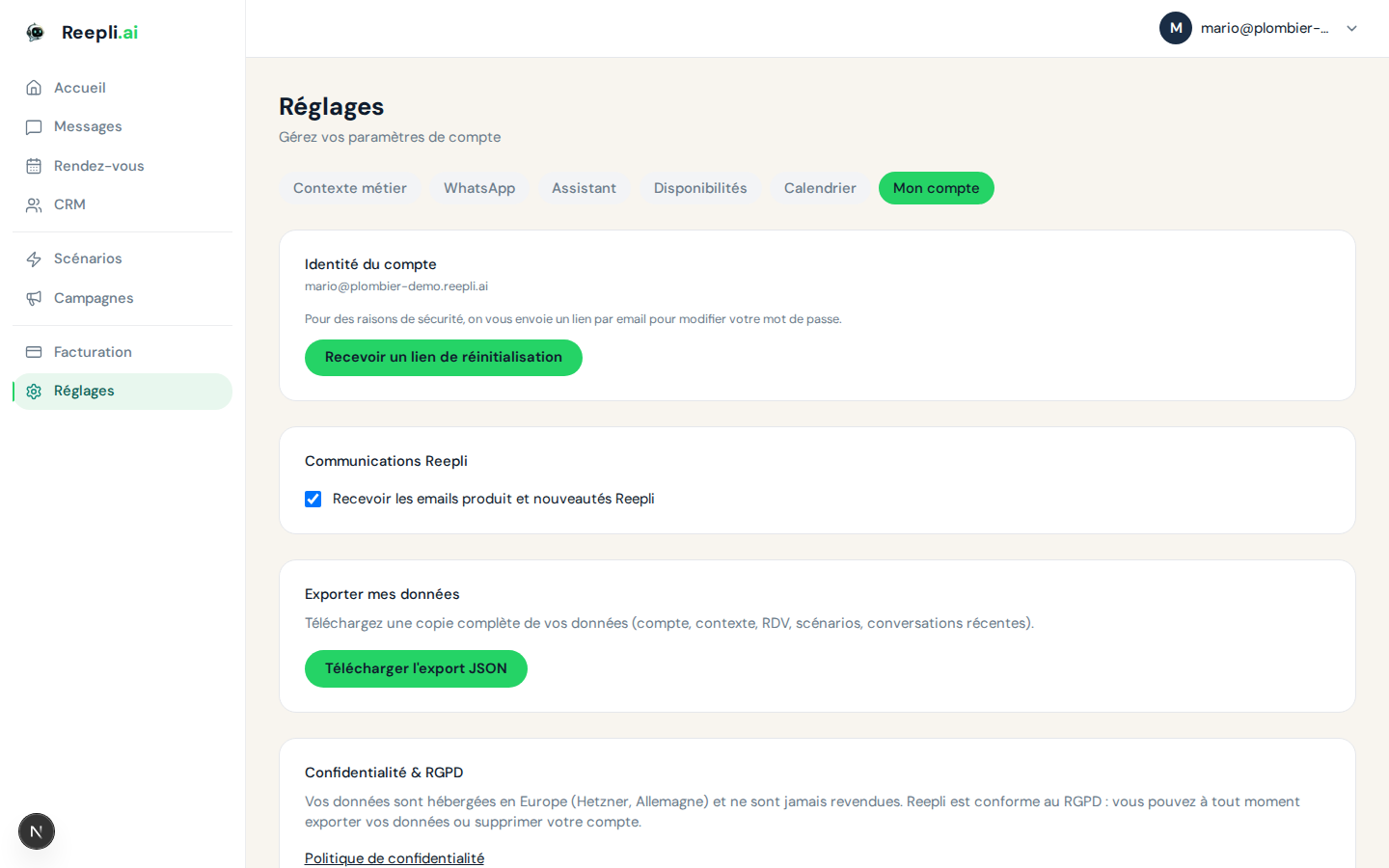
- Open Settings → Account.
- Locate the Receive the Reepli newsletter checkbox.
- Check or uncheck it according to your preference.
The change is instant. You can also unsubscribe by clicking the Unsubscribe link in the footer of every newsletter sent.
The newsletter is strictly marketing. Your choice is respected 100%: if you turn off the opt-in, you will no longer receive any non-transactional communication from us.
Summary table
| Type | Channel | Can be enabled | Can be disabled |
|---|---|---|---|
| Sign-up confirmation | Automatic | No | |
| Password reset | On request | No | |
| End of trial / payment | Automatic | No | |
| Appointment confirmation | Automatic (if bot configured) | Via scenarios | |
| Inbox updates | Dashboard | Automatic | No |
| Reepli newsletter | Manual (opt-in) | Manual (opt-out) |
Best practices
- Keep a Reepli tab open during your working hours to benefit from real-time updates.
- Keep the WhatsApp Business app on your phone if you want to receive push notifications when you are away from your computer.
- Check your junk folder if an expected transactional email doesn't arrive.
- Turn off the newsletter if you prefer fewer messages: essential emails will stay active.
Troubleshooting
I'm not receiving the password reset email
- Check your spam or junk folder.
- Make sure
[email protected]is on your allowlist. - Wait 5 minutes: sending may be delayed during a spike.
- If nothing works, contact support.
The dashboard isn't updating in real time
- Reload the page (Ctrl+R / Cmd+R).
- Check your internet connection.
- Make sure your browser isn't blocked by a restrictive corporate firewall.
- Try another browser (recent Chrome or Firefox recommended).
I keep receiving the newsletter after unsubscribing
It can take up to 24 hours to process for emails that are already scheduled. If you still receive the newsletter beyond that, contact support.