Security
The security of your Reepli account is essential, because it contains your customers' WhatsApp conversations and personal data. This page details the protections in place and the best practices to follow.
Password
Choosing a strong password
A solid password remains your first line of defense. We recommend the following criteria:
| Criterion | Recommendation |
|---|---|
| Length | 12 characters minimum |
| Composition | Uppercase, lowercase, digits, and special characters |
| Uniqueness | Never reused from another service |
| Unpredictability | No personal data (date of birth, first name, company name) |
Use a manager (1Password, Bitwarden, Apple Keychain, KeePass) to generate and store a random password. This lets you have a long, unique secret without having to memorize it.
Changing your password
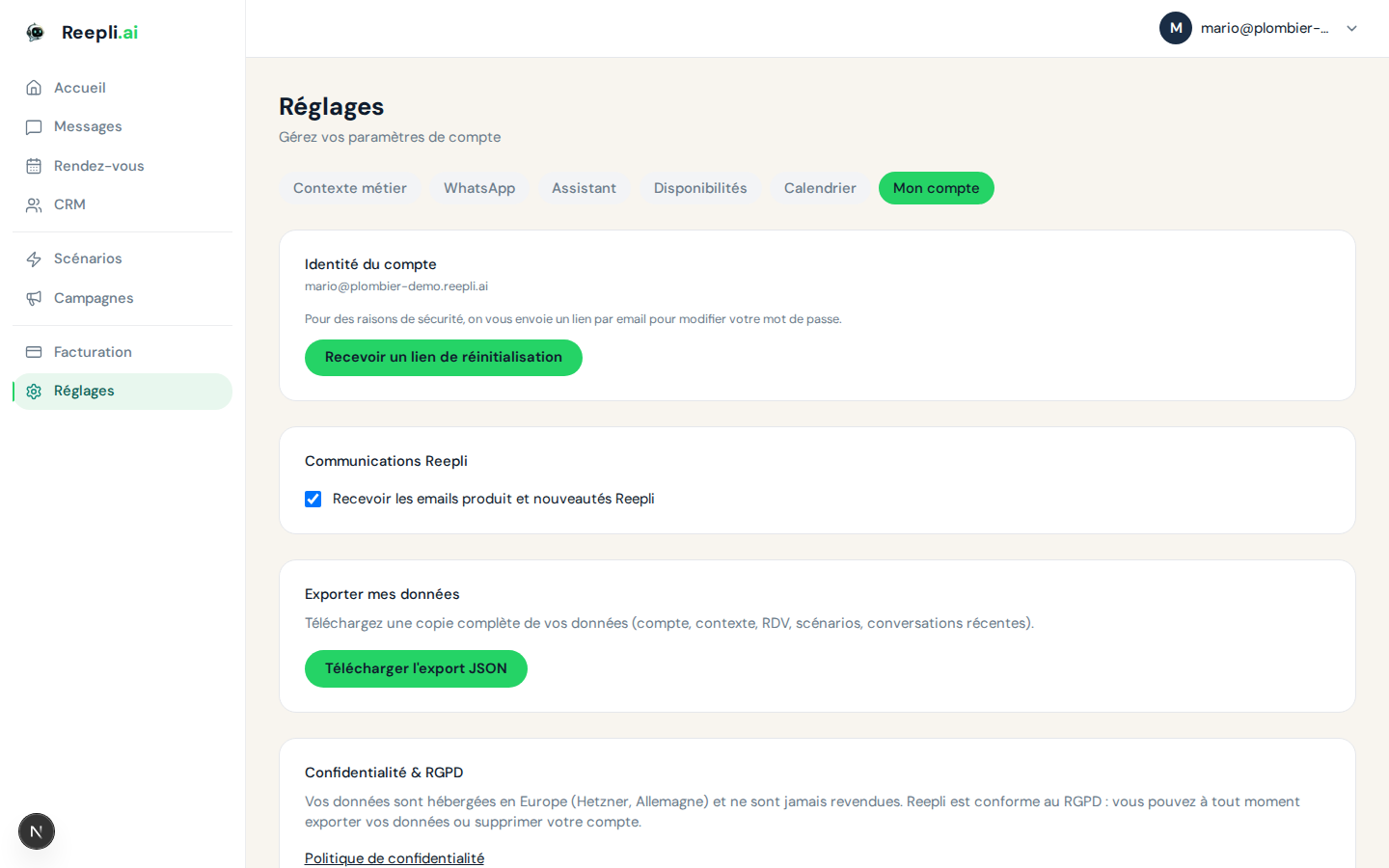
- Go to Settings → Account.
- Click Reset my password.
- An email containing a secure link is sent to your account address.
- Click the link and set a new password.
- All other sessions are automatically invalidated.
Forgotten password
- On the sign-in page, click Forgot password?.
- Provide your account email address.
- You receive a link valid for 1 hour.
- Follow it to set a new password.
Sessions
Reepli relies on secure session cookies to keep you signed in. Sessions are tied to your browser and your device.
Best practices
- On a shared device, always sign out after use.
- On your personal device, you can stay signed in: the session renews as long as you use the dashboard.
- Resetting your password automatically invalidates all your active sessions. This is the recommended procedure if you suspect unauthorized access.
Suspected compromise
If you think someone else may have accessed your account:
- Reset your password immediately from Settings → Account.
- Review your recent conversations to spot any unusual activity.
- Check in Settings → WhatsApp that the connected numbers are indeed yours.
- Contact support from Contact support, mentioning "Security incident" in the subject.
Privacy and legal retention
Reepli gives you granular control over the retention and export of your data from Settings → Privacy.
Retention period
Conversations and messages are automatically deleted beyond the period you configure. The default retention follows industry practices; you can shorten it if you handle particularly sensitive data.
Legal retention
Legal retention suspends all automatic deletion while active. You would enable it, for example:
- In case of a dispute with a customer.
- At the request of a competent authority.
- When you need to freeze the state of conversations for an audit.
To enable or disable it:
- Open Settings → Privacy.
- Click the Legal retention button.
- Confirm. While active, no automatic deletion is carried out, even if the retention period has been exceeded.
GDPR export (right to portability)
You can export all the personal data of your account in JSON format at any time:
- Open Settings → Privacy.
- Click Export my data.
- The file is generated and downloaded.
The export includes your operator profile, your contacts, your conversations, your appointments, and your settings.
Account deletion (right to erasure)
Complete account deletion is described in Profile. It erases all associated data, except for what accounting regulations require us to keep (invoices, aggregated logs).
Data encryption
Reepli protects your data at several levels:
| Level | Protection |
|---|---|
| Transport | TLS 1.3 on all communications |
| Storage | Encryption at rest on our databases |
| Passwords | Hashed with a modern algorithm and a unique salt |
| Backups | Encrypted and stored on separate infrastructure |
Communications with WhatsApp use Meta's official API. Content passes through Meta's servers in accordance with the usual WhatsApp Business policy.
Compliance
Reepli complies with European regulations:
| Regulation | Status |
|---|---|
| GDPR (Europe) | Compliant |
| ePrivacy | Compliant |
| Hosting | European Union (Germany) |
Your GDPR rights
From your dashboard:
- Right of access: export your data from Settings → Privacy.
- Right to rectification: edit your data from Settings → Account or a contact's record.
- Right to erasure: delete your account from Settings → Account.
- Right to portability: your GDPR export is in standard JSON format, readable by any third-party tool.
Security on the customer side (your contacts)
A few precautions to apply in your day-to-day exchanges:
- Never send full banking details via WhatsApp. Use Stripe payment links or a secure portal.
- Be vigilant against phishing: if a customer asks you to log in to a fake portal, always check the URL first.
- If a contact accidentally shares sensitive information in WhatsApp, delete the message on the Reepli side from the conversation and invite the customer to use a more suitable channel.
Two-factor authentication
Two-factor authentication (2FA) is not yet available natively in Reepli. It is on our roadmap. In the meantime:
- Choose a long, unique password.
- Use a password manager with its own 2FA.
- Watch for sign-in notification emails.
Reporting a security incident
If you suspect a security incident affecting your account or your Reepli service:
- Reset your password immediately.
- Enable legal retention in Settings → Privacy to preserve the data.
- Contact support from Contact support with the subject "Security incident".
- The Reepli team commits to responding within 24 business hours.