Billing — Overview
Reepli's Billing section lets you manage your subscription, view your invoices, update your payment method and track your monthly usage (messages exchanged and AI usage). Everything happens on a single page: the Billing section of the dashboard.
Accessing billing
- Log in to dashboard.reepli.ai.
- In the side menu, click Billing.
On Reepli, each workspace belongs to a single owner. That person is the one who sees the Billing page and receives invoices by email.
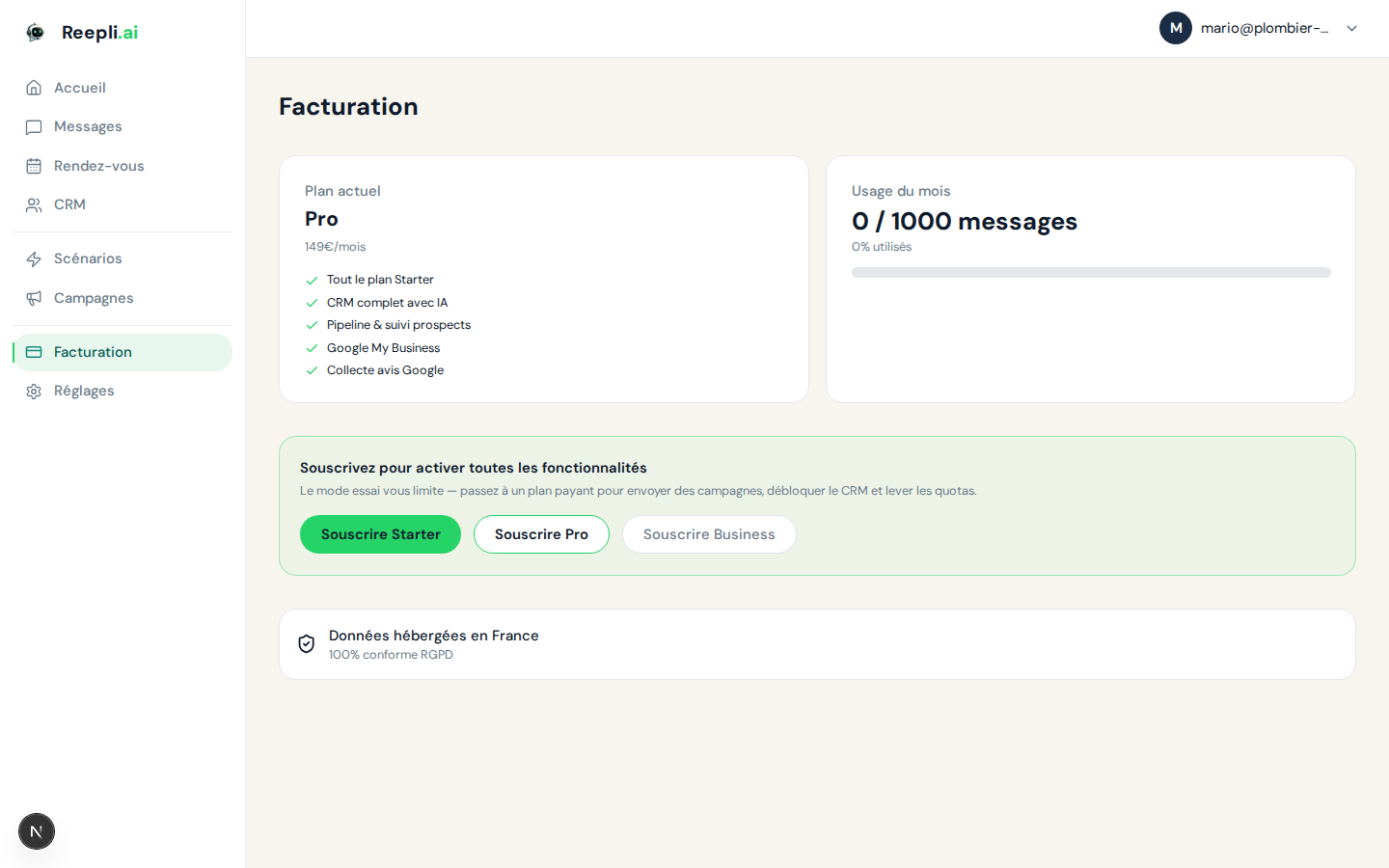
What's on the Billing page?
The page groups three blocks:
| Block | Contents |
|---|---|
| Current plan | Plan name (Trial, Starter, Pro, Business), monthly price, next renewal date |
| This month's usage | Messages exchanged, AI usage, and the plan's fair-use threshold |
| Invoices | List of invoices with their downloadable PDF |
A Manage my subscription button opens the Stripe billing portal to change plan, update your card or cancel.
Reepli's plans
Reepli offers three paid plans plus a trial period. All prices are excluding tax, in euros, and billed monthly.
| Plan | Price | Who it's for |
|---|---|---|
| Free trial | €0 for 7 days | Try before subscribing (Starter plan features) |
| Starter | €79/month | Solopreneurs and very small teams |
| Pro | €149/month | SMBs that want CRM + Google My Business + follow-ups |
| Business | €299/month | Multi-user teams with custom scenarios |
The free trial lasts 7 days, with no card required, and gives access to the Starter plan's features.
How billing works
Reepli uses Stripe as its payment provider for all billing: subscriptions, payments, invoices and pre-authorizations for broadcast campaigns.
Monthly subscription
- You're charged each month on the anniversary date of your subscription.
- The invoice is automatically sent by email.
- You can find it at any time on the Billing page (direct link to the PDF).
Broadcast campaigns (Pro and Business)
Campaigns are charged when sent, on top of the subscription:
- Before sending, Reepli places a pre-authorization on your card (the maximum estimated amount).
- Once the campaign is complete, Reepli charges the actual amount (based on the number of messages actually delivered).
- The difference between the pre-authorization and the charge is released automatically.
This is why you may see a temporary authorization appear on your bank statement before the final charge — this is normal and automatic.
Learn more about campaign billing →
Accepted payment methods
Payment method management is done in the billing portal, accessible from the Billing page. The methods accepted depend on your country:
| Method | Availability |
|---|---|
| Card (Visa, Mastercard, American Express) | All countries |
| Apple Pay / Google Pay | Depending on your browser |
| SEPA Direct Debit | Eurozone |
| Link (Link by Stripe) | If enabled on your account |
To add or change your payment method:
- On the Billing page, click Manage my subscription.
- You arrive in the billing portal.
- Go to the Payment methods section → Add or Edit.
- Confirm. The new method is used from the next invoice.
If an invoice fails (expired card, limit reached), our payment provider automatically retries several times over 7 days. During this period, your account stays active. After that, access is set to read-only until the issue is resolved.
Tracking your usage
Reepli applies fair use rather than hard quotas. Each plan has an indicative monthly allowance:
| Plan | WhatsApp messages | AI usage |
|---|---|---|
| Trial | 2,000 | high |
| Starter | 1,000 | moderate |
| Pro | 5,000 | high |
| Business | 20,000 | very high |
The counter is visible at the top of the Billing page and resets at the start of each billing cycle.
Billing cycle
| Item | Frequency | Detail |
|---|---|---|
| Monthly subscription | Monthly | Charged on the same day each month |
| Usage counter | Monthly | Reset at the start of each cycle |
| Broadcast campaigns | When sent | Pre-authorization + charge |
Detailed sections
Frequently asked questions
Can I try Reepli for free? Yes. The free trial lasts 7 days and gives access to the Starter plan's features. No card is required to get started.
What happens if I exceed my plan's fair use? The service isn't cut off abruptly. Beyond the threshold, we'll get in touch to discuss the plan that suits your volume.
Can I change plan mid-month? Yes. Upgrades take effect immediately with proration. A downgrade takes effect at the next cycle. See Manage your subscription.
Do prices include VAT? No. The prices shown are excluding tax. Applicable VAT is added based on your country and status (a valid intra-EU VAT number for the reverse charge).