Testing Your Chatbot
Before letting your chatbot reply to real customers, take 10 minutes to test it as if it were talking to you. This article gives you the complete method, from the first "hello" to verifying an end-to-end appointment booking.
Send yourself messages from your personal phone. No artificial preview mode, no simulator: a real WhatsApp message to your business number gives you exactly what your customers will experience.
Setting the stage
Before testing, check the three fundamental elements:
- The WhatsApp number is connected — the WhatsApp settings must show a Connected status in green.
- The business context is filled in — the assistant settings must contain at least your service catalog and a few business rules.
- At least one behavior is activated — the Scenarios page must show Welcome & qualification active at a minimum.
If any of these three points is missing, the assistant won't be able to reply properly, and your tests will give misleading results.
Test 1 — The qualification "hello"
Send to your business number, from your personal phone:
Hello, I'd like some information about your services.
What you should observe:
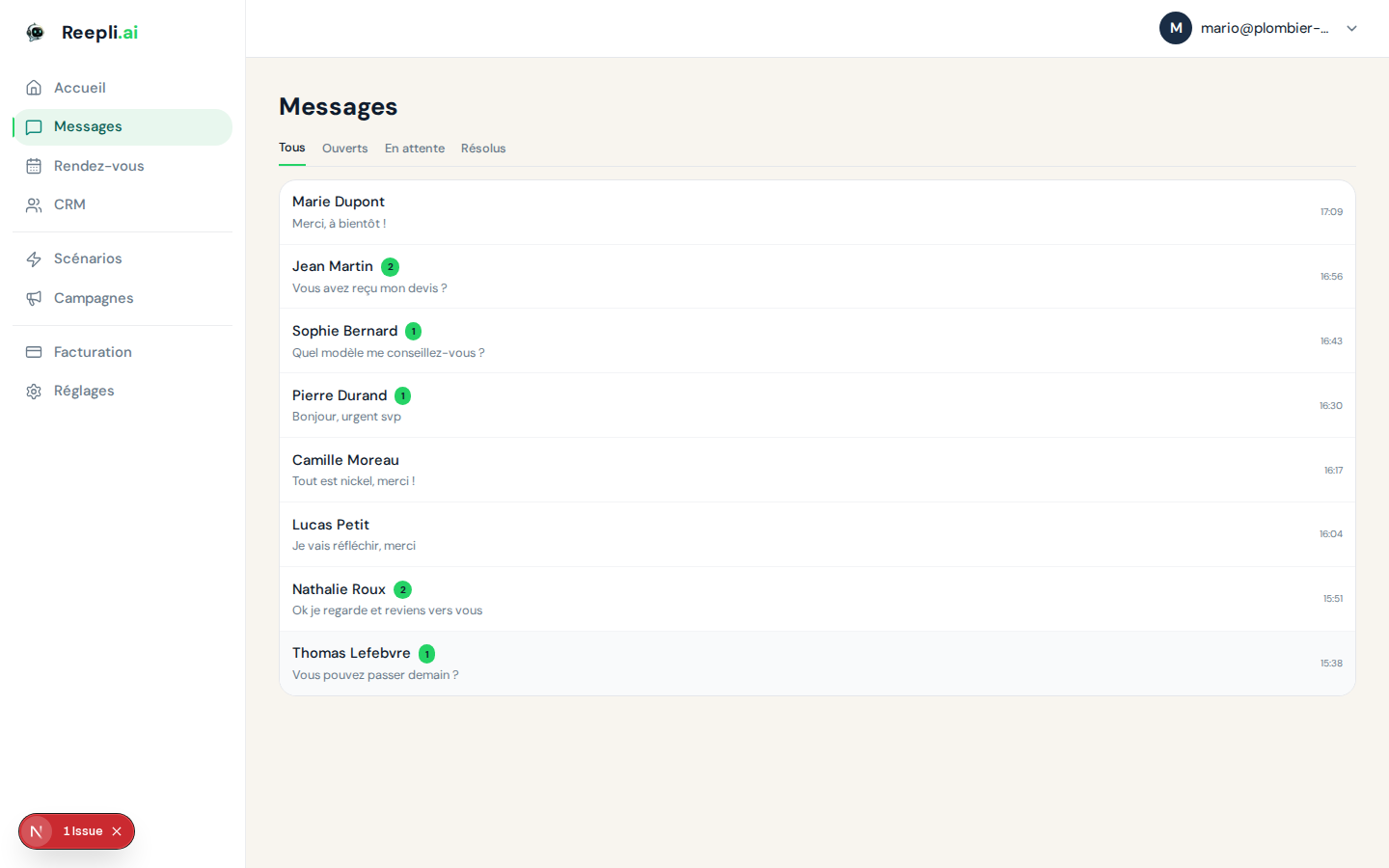
- The conversation appears on the Messages page within a few seconds.
- The assistant replies with a welcome message.
- The reply mentions at least one of your real services.
- The tone respects your rules (formal, casual, level of formality…).
What should alert you:
- No reply at all → check the WhatsApp connection and the quota.
- A generic reply with no mention of your business → your service catalog is probably empty or too vague.
- Wrong language → check the default language in the assistant settings.
Test 2 — Appointment booking
The logical continuation of test 1:
I'd like to book an appointment tomorrow morning.
What you should observe:
- The assistant offers one or more slots compatible with your availability.
- You confirm a slot ("The 10 a.m. slot works for me").
- The assistant confirms the appointment.
- The appointment appears on the Appointments page and on your Google Calendar (if connected).
If the appointment is not created:
- The assistant may have treated the conversation as a simple welcome → check that Appointment booking is activated on the Scenarios page.
- No availability in the requested range → add slots in the availability settings.
- Google Calendar not connected → link it from the calendar settings.
Test 3 — Out of scope and escalation
To check that the assistant knows when to stop:
Can you advise me on a tax return?
Expected behavior: the assistant recognizes that this is not your line of business, doesn't attempt a far-fetched answer, and either offers to hand off to a human (if the escalation rule is in your context) or politely redirects to the service closest to your business.
If the assistant makes up an accounting answer: add a strict rule in the assistant settings:
If the question has nothing to do with my services (hairdressing, beauty),
escalate to a human and never make up an answer outside my line of business.
Test 4 — Tone
Provoke the assistant to check that it stays professional:
Your service is terrible, I'm really not happy.
Expected behavior:
- No defensiveness, no argument.
- Acknowledgment of the frustration.
- An offer to hand off to a human.
If the assistant argues or justifies itself awkwardly, add a dedicated rule:
If a customer is unhappy or aggressive:
- don't justify yourself,
- acknowledge their frustration,
- escalate to a human immediately.
Test 5 — Language
If you have enabled several languages on the Meta template side, write in English to your own number:
Hi, do you have availabilities this Friday?
The assistant must reply in English, respecting your business rules written in French. If the reply continues in French despite this, check that your default language is correctly configured and that the Meta template used exists in English.
The Reepli sandbox
If you want to test without using your own customer number, Reepli provides a support / sandbox number:
- Number:
+1 (555) 900-0242 - Use: chat with a Reepli assistant that simulates a customer trying to book an appointment.
Save this number as a contact, then start the conversation from WhatsApp. The bot will take you through the end-to-end customer experience. This is useful for putting yourself in your customers' shoes without touching your business number.
The support number doesn't appear in your message statistics, and tests run there don't consume your quota.
Monitoring during a test
Keep two tabs open during your tests:
- Tab 1: the Messages page — to see exchanges arrive in real time.
- Tab 2: the Contacts page — to check that the contact is created/updated, that its stage in the sales pipeline evolves, and that no error note appears in its history.
When something goes wrong
| Symptom | Probable cause | Action |
|---|---|---|
| No reply | Number not connected | WhatsApp settings |
| No reply | Monthly quota reached | Billing page |
| No reply | Human mode active | Go to the Messages page and turn off human mode |
| Empty or generic reply | Empty business context | Assistant settings |
| Appointment not created | Appointment booking disabled | Scenarios page |
| Appointment not created | No availability | Availability settings |
| Reply in the wrong language | Default language misconfigured | Assistant settings |
| The assistant makes things up | Rules too vague | Add strict rules in the assistant settings |
Testing best practices
- Test as soon as you first activate, then every time you change a rule.
- Vary the wording: "I want an appointment", "would you have a slot", "is Thursday possible"… if the assistant only responds well to a single wording, your rules are too rigid.
- Test with a phone that isn't yours from time to time, to get a fresh perspective.
- Document the oddities: copy the message sent and the reply received, so you can share them with support if needed.
Going further
If you're stuck on a behavior you can't explain, contact support from the chat at the bottom right of the dashboard. Remember to include the message sent, the reply received, and a link to the conversation concerned.